

Introduction
Node.js is a tool that helps you run JavaScript on the server. It is fast, simple, and powerful. You can build websites, apps, and tools with it. Many big companies use Node.js.It is good for building real-time apps, like chat apps or games. Node.js uses JavaScript, so web developers can learn it easily. It runs on your computer and listens to requests from users. Then, it sends back answers like web pages or data.In short, Node.js helps you build fast and smart web applications.
Table of the content
- What is node js ?
- Why you should choose node js ?
- Why Node.js has become so popular in web development ?
- Key Statistics You Need to Know About Node.js in 2025 ?
- Node.js Tools for Developers ?
- What Makes Node.js Stand Out from Other Back-End Technologies ?
- Best Free Node.js Tools Every Developer Should Use ?
- Node.js for Beginners: Easy First Steps ?
- Simple Node.js App Ideas for Beginners ?
- Latest Node.js Updates You Need to Know
- Pro Tips for Optimizing Node.js Applications
- What Are the Best Free Node.js Tools for Development ?
- Conclusion.
What Is Node.js ?
Node.js is a tool that allows you to run JavaScript code on your computer, not just in a web browser. Normally, JavaScript is used to make websites interactive in browsers.
Why you should choose node js ?
1. Fast Performance
Node.js is built on the V8 JavaScript engine (the same engine used by Google Chrome), which compiles JavaScript to native machine code. This makes Node.js applications fast and efficient in handling large volumes of requests.
2. Real-Time
Node.js shines in real-time applications like chat apps, gaming platforms, and collaborative tools because it can maintain persistent connections with many clients. Its ability to handle many requests simultaneously and in real-time is perfect for apps that require low-latency communication.
3. Ease of Learning and Usage
JavaScript is one of the most popular languages, and if you already know JavaScript, learning Node.js is relatively easy. It is also well-documented, and there are plenty of tutorials, making it approachable for developers of all skill levels.
4. Large Community NPM
The Node.js ecosystem is massive. The npm registry is the largest software registry in the world, with thousands of libraries and modules available to extend functionality. This makes it easy to add features to your app without reinventing the wheel.
5. Single Programming Language
With Node.js, you can use JavaScript for both the client-side and the server-side. This reduces the need for context switching between different languages and simplifies the development process. JavaScript is already widely known by web developers, so it’s a natural fit for many web applications.
Why Node.js has become so popular in web development ?
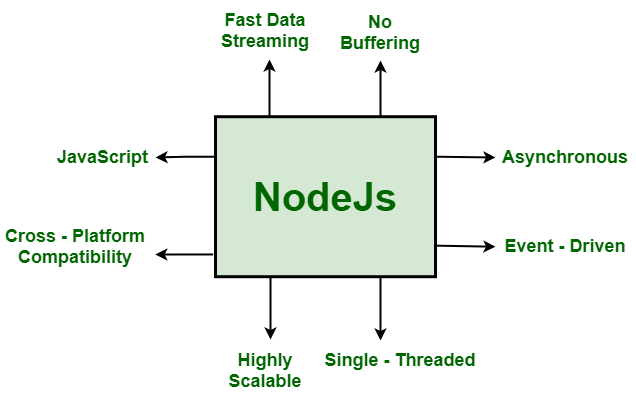
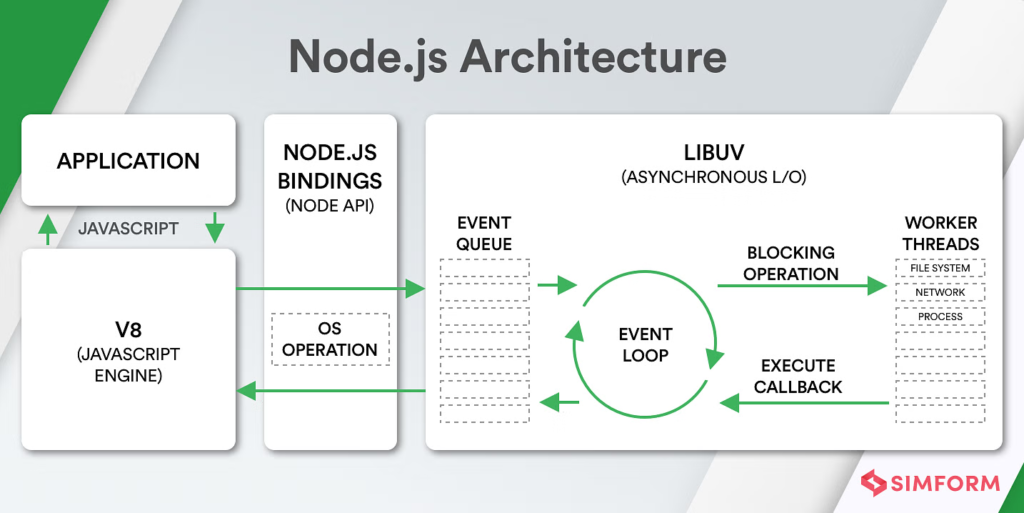
Node.js’s event-driven and single-threaded architecture makes it an excellent solution for managing high traffic applications.
Today, nearly 50% of developers prefer Node.js for building scalable backend systems. Its speed, reliability, and the vast ecosystem of Node.js programs and tools make it increasingly popular.

Key Statistics You Need to Know About Node.js in 2025 ?
The use of Node.js is increasing continuously. Recent data shows that 63% of backend developers prefer Node.js over other technologies like Ruby and Python, making it highly popular.
Moreover, with the rise of modern tools like nextjs.org and nestjs.com, the role of Node.js in full-stack development has grown significantly—and it’s only expected to grow further.
Node.js Tools for Developers ?
Node.js is an ecosystem full of tools that make development faster and more efficient. Most advanced Node js tools include:
1. PM2 – Process Manage
A production process manager for Node.js that enables easy management of application clusters . PM2 runs and manages your Node.js app, especially in production (live environment). It keeps your app running 24/7, even if it crashes.
2. Nodemon
During app development, Node.js automatically restarts the server, ensuring smoother and uninterrupted application performance.
Nodemon watches your files and automatically restarts your app when you make change. You don’t need to stop and start your app manually every time you change your code.
3. Web pack
This is an excellent tool for bundling Node.js applications and enhancing front-end performance in links webpack. Webpack combines your files (JavaScript, CSS, images) into one or a few bundles. It makes your app faster and more organized, especially when building for the browser.
Node.js tools save development time, boost your productivity, and help you write better code for maintaining the application.
What Makes Node.js Stand Out from Other Back-End Technologies ?
When it comes to building a modern, high-quality website, developers have many backend technologies to choose from—like Python, Java, PHP, or Ruby. But among them, Node.js stands out as different and often better. That’s why more and more developers prefer using Node.js today.
1. Java Script
Node.js is a powerful and efficient technology that lets developers use javascript for both front-end and back-end. This saves time, simplifies development, and boosts productivity—without the need to learn a separate language for server-side work.
2.Non- blocking
Node.js uses an event-driven, non-blocking model. That’s why its back-end technology is considered different and better at handling tasks.It’s quite different from traditional technologies like Python or PHP, where one task must be completed before the next one starts
3.Built for speed and scalability
powered by google’s V8 java script engine, node js is incredibly fast at executing code. It’s also lightweight, making it great choice for building scal able applications- from small micro services to large enterprise systems.
4.Rich ecosystem and active community
Node.js has massive package ecosystem through npm (Node Package Manager) with thousands of reusable libraries and tools. plus node .js has an active global community, so getting support or staying uploed is easy.
Best Free Node.js Tools Every Developer Should Use ?
1. Express.js
As a developer, once you reach a certain stage in your app development journey, you don’t need to spend a lot of money to access powerful and free Node.js tools. There are plenty of great tools out there that every developer should know about.
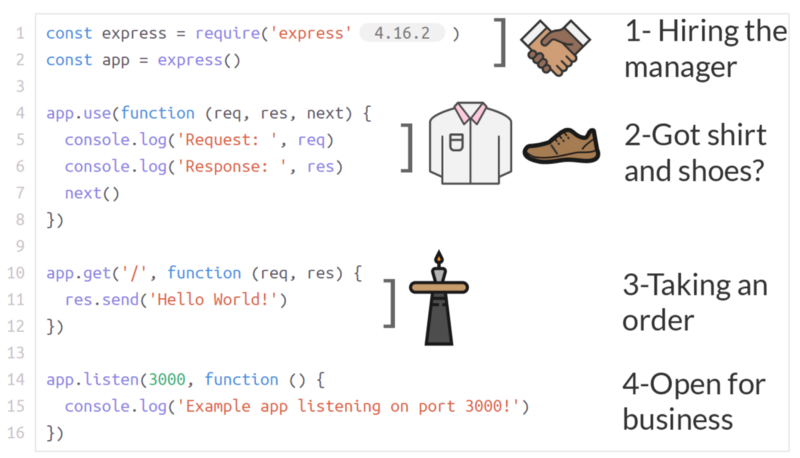
A minimal and flexible Node.js web application framework. Simple, fast, and powerful. It saves time and code by giving you tools to handle routes, requests, and responses easily.
2. Socket.io
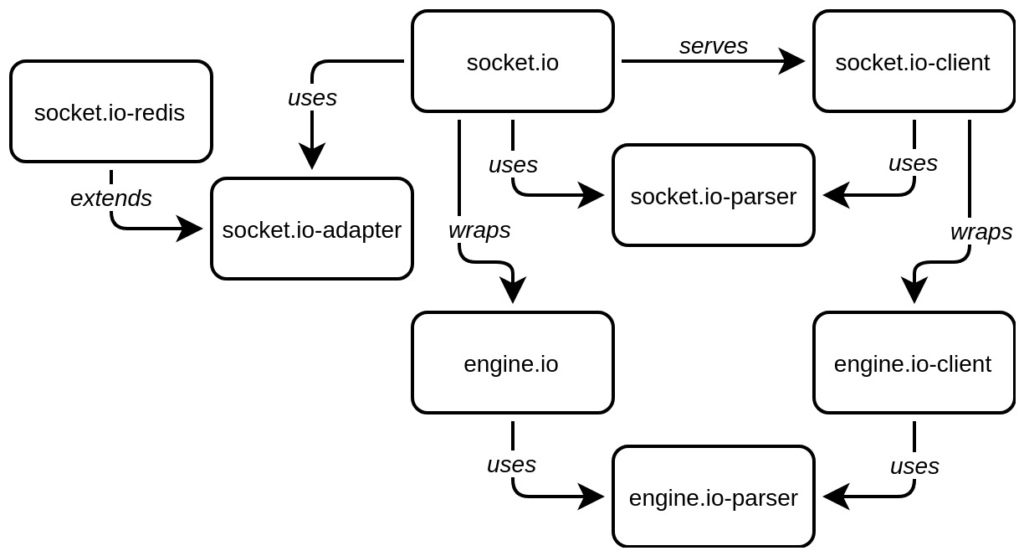
Used for real-time, bidirectional communication between web clients and servers. The library that enables low-latency, bidirectional and event-based communication between a client and a server.
3. Eslint
Helps in maintaining code quality by identifying and fixing issues in JavaScript code. It helps keep your code clean, readable, and free from common mistakes.
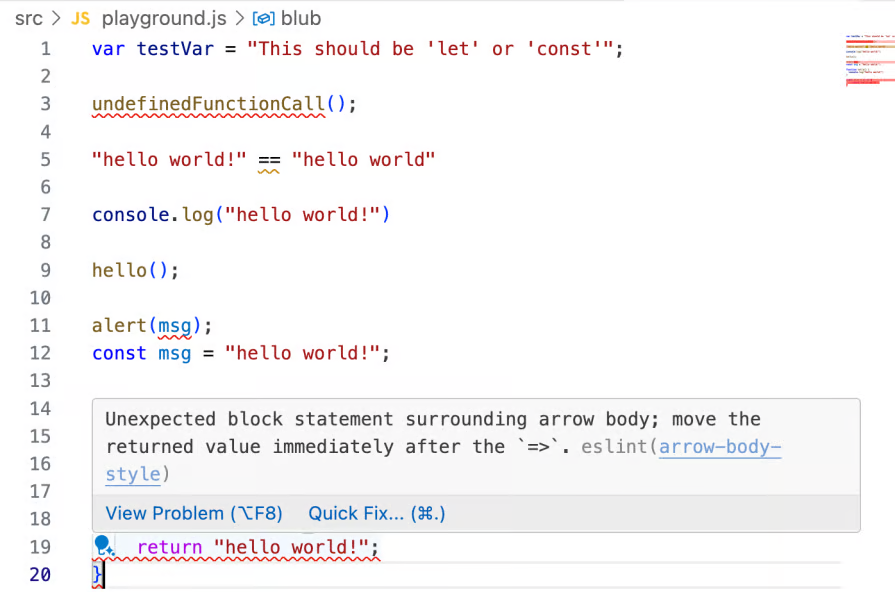
These best free Node.js tools make your development process faster and more efficient.
Node.js for Beginners: Easy First Steps ?
If you’re new to Node.js, getting started is easier than you think. Begin by installing Node.js and npm (Node Package Manager), then create your first “Hello World” program.
Simple Node.js App Ideas for Beginners ?
Node.js is perfect for building fast, scalable applications. Here are some examples of real-world applications that use Node.js:
1. Netflix
Handles millions of concurrent users using Node.js.

2. Linkedin
Built using Node.js for their mobile app’s back-end.

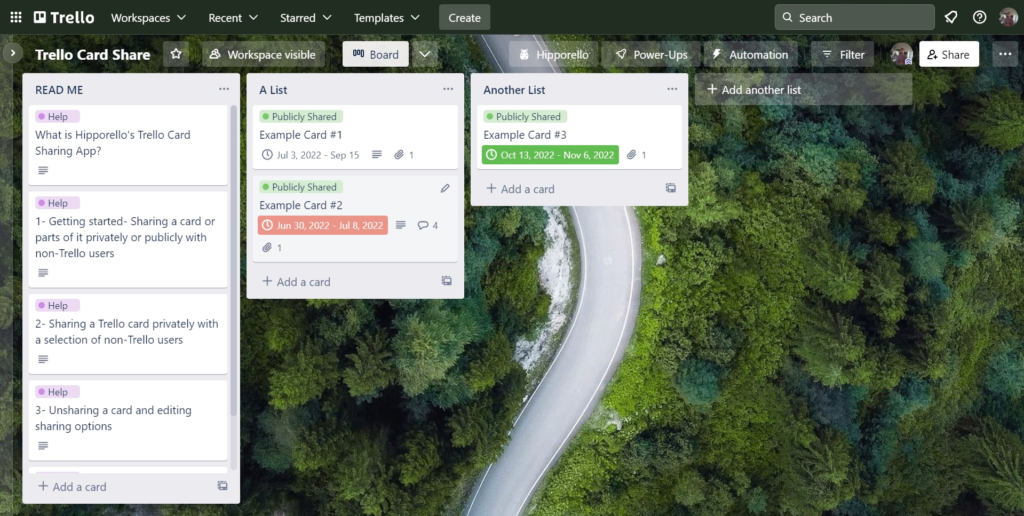
3. Trello
Uses Node.js for real-time collaboration.
Pro Tips for Optimizing Node.js Applications
When developing with Node.js, it’s essential to optimize for performance. Here are some best practices:
1. Async
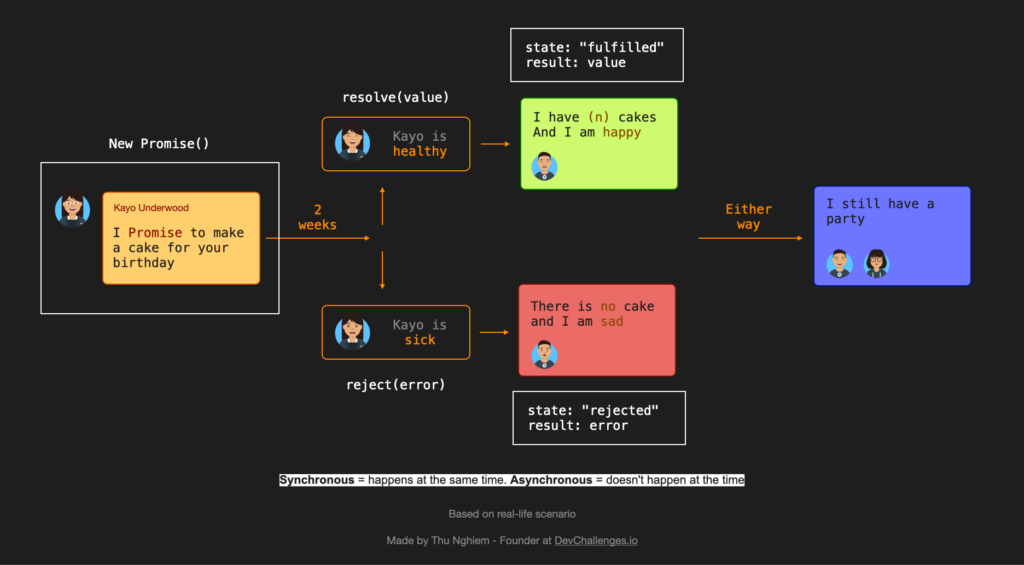
Node.js works best with non-blocking (asynchronous) code. This means it doesn’t wait for tasks like file reading or database calls. It keeps running and does more work while waiting.
Use async/await for better readability and error handling.
2. Avoid
Avoid blocking the event loop with heavy computations. Big or unnecessary loops slow down your app. Try to keep loops short and clean.
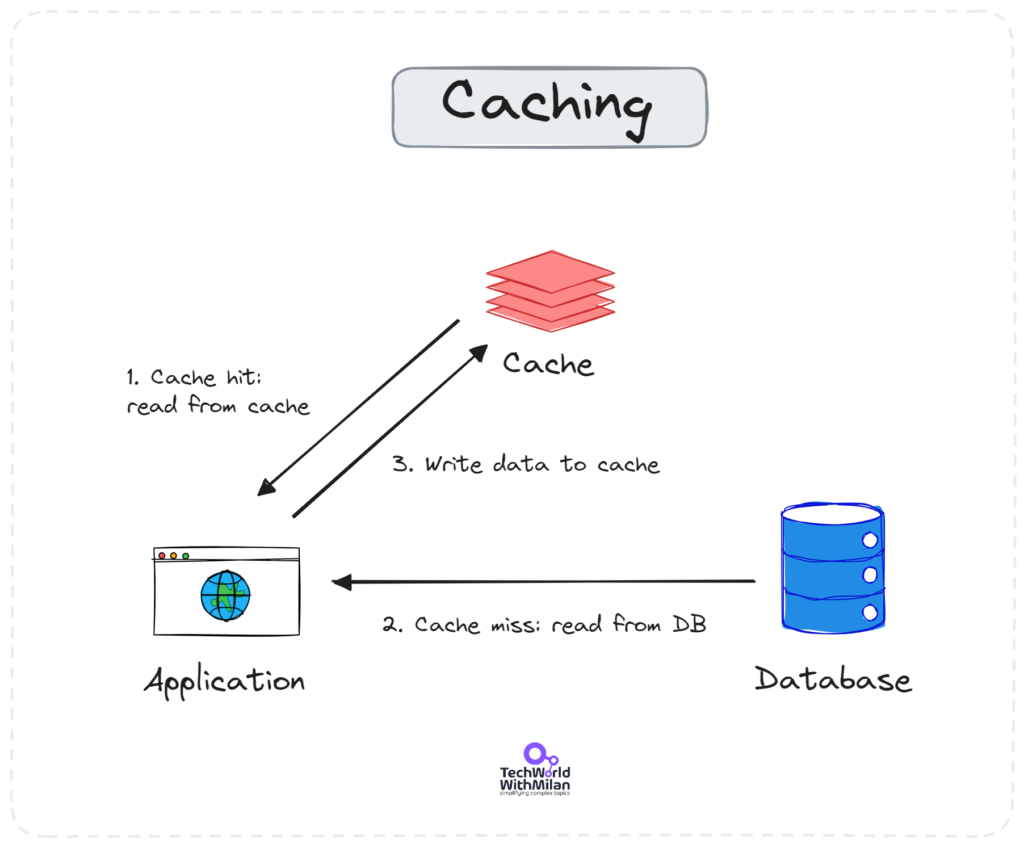
3.Utilize Caching
Caching means storing some data in a temporary memory so it can be accessed faster later. Utilize caching mechanisms like Redis to minimize database hits.
What Are the Best Free Node.js Tools for Development ?
Here’s a recap of the best free Node.js tools:
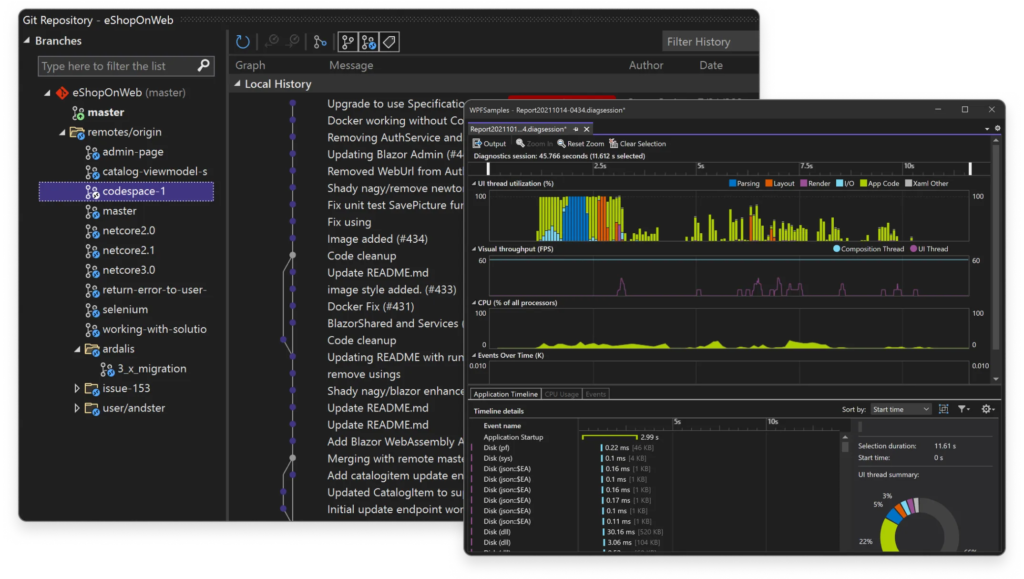
1. Github
GitHub is a website where developers store and share code. Hosts millions of Node.js open-source projects. It uses a system called Git to track changes in code over time.

2. Visual studio
Visual Studio is a software tool made by Microsoft. It helps developers write, test, and build applications all in one place.
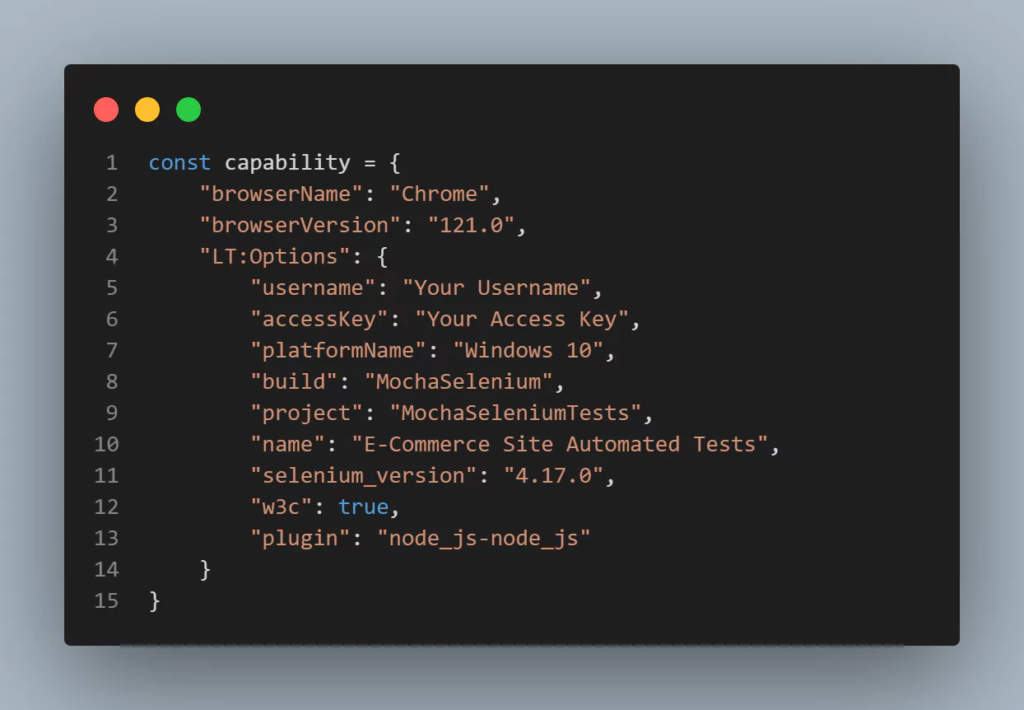
3. Mocha
Mocha is a feature-rich JavaScript test framework that runs on Node.js and in the browser, providing a flexible and powerful environment for testing JavaScript code.
Latest Node.js Updates You Need to Know
Node.js is rapidly evolving with several important and improved updates that enhance performance, security, and development.In the latest releases, Node.js introduced async local storage for better asynchronous code handling and diagnostic reporting tools for easier debugging in production environments.
Conclusion: The Future of Node.js Development and Why You Should Learn It
Node.js is not only a powerful tool today, but it is also set to remain the backbone of modern web development. As new frameworks and tools continue to be built on top of Node.js, there’s no better time to learn it. Whether you’re building a simple web app or a complex, high-performance server, Node.js has something to offer.
Leave a Reply